

Apple fixes iPhone alarm, tweaks CarPlay, previews iPhone 18

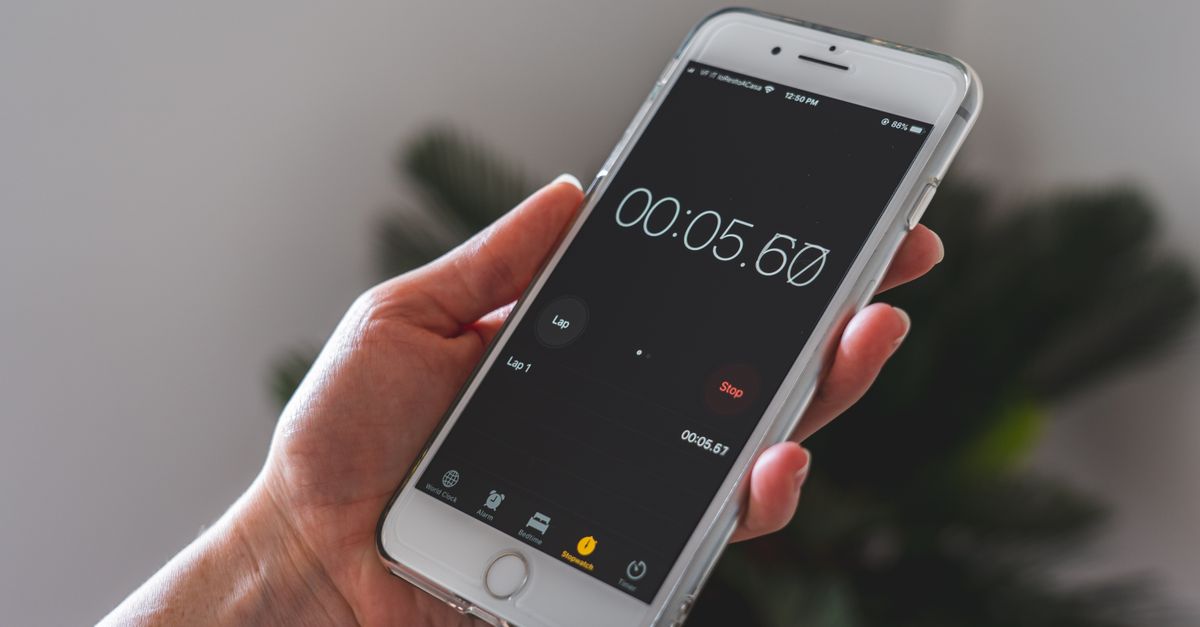
Photo by Castorly Stock on Pexels
Apple’s latest iOS update forces alarms to ring at full volume even when the device is muted. The change ends a long‑standing quirk that let users sleep through their own alerts.
The update arrives as Apple prepares to unveil three new iPhone models – the iPhone 18 Pro, iPhone 18 Pro Max, and iPhone 18 Ultra – at its September event. At the same time, developers and power users are sharing workarounds to stop CarPlay from auto‑connecting the moment a phone enters a vehicle. The convergence of these moves reshapes how iPhone owners manage sound, connectivity, and hardware upgrades.
Alarm Volume Fix Eliminates Sleep‑Through
iOS has always treated the hardware mute switch as a master override for all sounds. That rule meant an alarm set for 8 a.m. would be silenced if the switch was flipped before bedtime. The new update rewrites that rule. Alarms now ignore the mute state and play at the device’s maximum volume setting.
The fix is limited to the built‑in Clock app. Third‑party alarm apps still inherit the mute behavior unless they implement their own audio path. Users who rely on the native alarm will notice the change immediately after installing the update.
Apple did not publish a detailed changelog, but the behavior aligns with long‑standing user requests on forums. The practical impact is simple: a missed alarm is no longer a software bug. For commuters who set the mute switch to silence notifications, the alarm now serves as a reliable fallback.
CarPlay Auto‑Connect Frustrations and Workarounds
CarPlay’s convenience comes with an annoyance: the moment an iPhone pairs with a compatible head unit, the system launches automatically. Users who prefer a music‑only session or who want to keep the phone in Do Not Disturb often find the auto‑launch intrusive.
One workaround disables CarPlay in the iPhone’s Settings under General → CarPlay, then removes the vehicle from the list of remembered connections. The phone will still appear as a Bluetooth device, but CarPlay will not launch without manual activation.
A second method leverages the “Screen Time” feature. By creating a custom App Limit for the CarPlay app, the system blocks its launch after a set duration. When the limit is reached, the phone falls back to standard Bluetooth audio.
Both tricks require a few taps and survive iOS updates, making them viable for power users who dislike the default auto‑connect behavior. The solutions also avoid jailbreaking or third‑party software, preserving warranty and security.
Upcoming iPhone 18 Lineup Raises Expectations
Apple’s September keynote will introduce the iPhone 18 Pro, iPhone 18 Pro Max, and iPhone 18 Ultra. The naming suggests a continuation of the “Pro” branding with an “Ultra” variant that may target the high‑end niche.
Rumors indicate the Pro models will carry larger sensors and faster processors than the previous generation, while the Ultra could add a periscope‑type telephoto lens and a sturdier chassis. None of those details are confirmed in the official preview, but the three‑model rollout signals Apple’s intent to cover both premium and ultra‑premium segments.
The launch timing matters for developers working on CarPlay and alarm‑related features. New hardware often brings changes to audio processing pipelines, which could affect how the alarm volume fix behaves on the latest silicon. Early adopters will likely test the interaction between the new iPhones and the CarPlay disconnect tricks described above.
Affordable Accessories Bridge CarPlay Gaps
CarPlay adoption still faces practical hurdles. Many older vehicles lack wireless CarPlay, requiring a wired connection that can be cumbersome on long trips. Budget accessories now fill that gap.
Wireless CarPlay adapters plug into the car’s USB port and expose a Bluetooth link for the iPhone. Prices range from $30 to $50, making the upgrade accessible without a full infotainment overhaul. MagSafe‑compatible chargers also double as CarPlay mounts, keeping the phone powered and within view.
Cable‑management kits keep the wired connection tidy, reducing wear on the vehicle’s USB port. Some kits include a short, reinforced cable that routes through the dashboard, preserving aesthetics and durability.
These accessories do not require an Apple‑branded purchase, and they work with the current iOS version that includes the alarm fix. For users who already plan to upgrade to the iPhone 18 Pro line, the accessories provide a low‑cost path to a smoother CarPlay experience.
What to Watch: iOS Evolution and CarPlay Integration
The next iOS release will likely refine the alarm behavior and may add granular controls for CarPlay auto‑launch. Watch for a Settings toggle that lets users choose whether CarPlay should start automatically.
The September event will reveal whether the iPhone 18 Ultra includes hardware that alters audio routing, such as a dedicated DAC or enhanced speaker array. If so, developers will need to test alarm volume compliance on that platform.
Finally, keep an eye on third‑party accessory certifications. Apple’s MFi program could expand to endorse more affordable wireless CarPlay adapters, smoothing the path from legacy vehicles to the newest iPhones.
By tracking these developments, engineers and power users can stay ahead of the quirks that typically accompany major iOS and hardware releases.
Related Articles
Apple's hardware, software and service shake‑up accelerates
Apple eyes its own modem for the iPhone 18 Pro, revamps Home devices, swaps upgrade programs and teases iOS 27, while Fortnite resurfaces in Brazil.

Apple's rapid RC rollout pressures macOS developers
Apple released second release candidates for macOS Tahoe and Sequoia, while beta streams for Golden Gate and iOS 27.2 accelerate, sparking developer strain and highlighting ecosystem frictions.
Apple adds $5 monthly fee for iPhone Handoff on T‑Mobile
Apple bundles iPhone Handoff with iOS 27 but charges T‑Mobile users $5 a month, sparking debate over continuity costs and carrier lock‑in.